Xavier Bertels

I’m Head of Product at Phished. Previously CPO at SweepBright and co-founder of Mono.

Web Design in the Touch Era

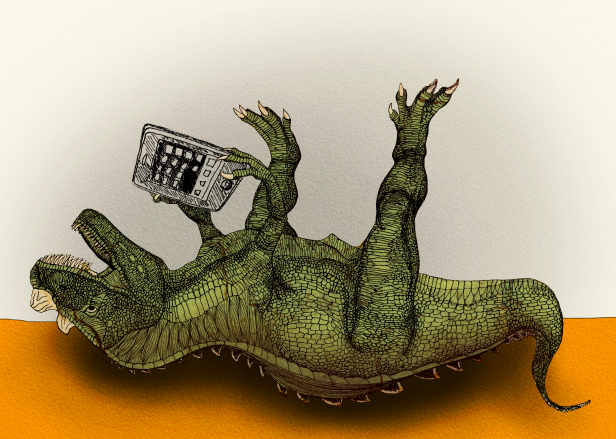
Illustration - Miet Claes

Illustration Copyright © Miet Claes

Have you ever used a touch-screen device to browse the web? Chances are quite real that you have. iPhones and iPads were only the scouts of the army of touch-enabled consumer devices set out to conquer worlds and recent iPad sales statistics show that touch is here to stay.

Meanwhile, keyboard and mouse will probably stick around for another decade. This has some serious implications for webdesigners, as they need to come up with a design that works on a myriad of devices. Responsive webdesign for instance, is a principle that we can use to overcome the problems that varying screen resolutions bring along. But there is one very basic design conception that not all webdesigners know about. It is called feedback and it needs some explanation.

When I was in kindergarten, my teacher Denise taught me how to write with a pencil. At first, the device did not work properly: I could tell by the absence of grey lines on my piece of paper. My mentor explained to me that I was holding the pencil upside down. I turned the device around and started drawing again. Lines appeared and I knew that I was doing something right. I got immediate feedback.

A lot of pencil training sessions later, my beloved writing tool was replaced by a so-called Personal Computer. I started browsing the web. Sometimes I would click on a link, and nothing would happen. Either the following page was loading slowly, or I had not properly pressed the mouse button. I could usually exclude the latter, since the mouse was designed to provide me with a nice click sound and some friction. It provided me with immediate feedback.

Recently, I bought a mobile phone with a touch screen. I regularly surf the web and inevitably click on links and buttons. Sometimes, nothing happens. Is it the slow connection or did my skinny fingers miss the clickable area? There is no way to tell if I have actually clicked on a button or link, because there is no tactile or auditive feedback like I had with the mouse. This is a problem though, that can easily be intercepted on the webdesigner’s end by:

  1. Setting a proper :active state for links and buttons in the CSS file. It is often neglected, but so important to make a visual distinction between a link that is touched and not touched or clicked and not clicked.
  2. Providing a clickable area that is large enough so that clicking on a link or button does not become Odysseus’ Journey. Add some padding to your anchors!
  3. Adding interaction sounds on touch/click events. Time to dive into jQuery and html5!

Electrical devices are all built around the same basic principle: the user provides input, the device processes the input and returns a usually expected output. As described by Don Norman in The Psychology of Everyday Things, providing proper feedback in between input and output is key to succesful user interaction. This is no different on the web!

Illustrator to HTML5 Canvas: Ai2Canvas

The HTML5 <canvas> element is one of the most powerful new HTML5 features:

The canvas element provides scripts with a resolution-dependent bitmap canvas, which can be used for rendering graphs, game graphics, or other visual images on the fly.

The problem with Canvas, is that there are no authoring tools for it, so most of the drawing must be done by hand-coding coordinates and specifications. This is not very convenient. Luckily, thanks to the work of a Microsoft employee, we now have Ai2Canvas. You guessed it right: an Adobe Illutrator to Canvas conversion plugin. Check out the introduction video below!

I will be evaluating the Ai2Canvas plugin over the next few weeks. Let us see where this can take us!

(Typographic) Grids on the Web and CSS3

Grids have existed for a very long time in graphic design. Long before the internet was born, graphic designers were using grid systems in their designs. Thanks to people like Khoi Vin and Mark Boulton (and many others I am ignoring for the sake of brevity) grid systems have significantly gained popularity in web design. An example of one of the most commonly used grid systems today is probably the 960 Grid System, which is also a nice CSS framework.

But making a proper grid with semantically correct html and CSS has long been a serious pain in the ass. Today, we still need superfluous <div> elements and the least you can say about the CSS code required to make it work, is that it is needlessly complex.

Thanks to the wonderful work on the CSS3 spec, easily crafting flexible, multi-column layouts with a minimal use of CSS is slowly becoming reality. Making flexible horizontal grids with CSS will soon be as straightforward as defining column-count, column-width, column-gap and column-space-distribution properties on your containing html element.

This made me think. Apparently, the CSS3 contributors have somewhat ignored vertical rhythm grids/typographic grids/baseline grids/whatever you like to call it. The same kind of problem that exist with horizontal grids, also exists with baseline grids.

And CSS3 is not fixing it.

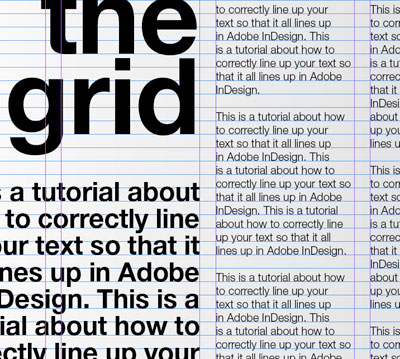
So, let us talk baseline grids. Those of you that are familiar with InDesign, probably know what I am talking about. If you have never set a baseline grid, now might be a good time to start exploring the possibilities. Take a look at the following image:

Baseline Grids

Found on the ever-wonderful Typophile

As you can probably see, design can easily benefit from a properly set baseline grid. Yes, you can set baseline grids by hand. But setting baseline grids on the web is, well, less than straight-forward.

I am not arguing that everything should be aligned to a baseline grid. For the love of creativity, please do not! A CSS3.x implementation of baseline-grid, on the other hand, would be most welcome at times. Is my head too high in the sky for dreaming of this?

Habit Fields by Jack Cheng

I am not all too fond of those “here’s what you should do” type of articles. I rarely find them interesting, and in the light of Seth Godin’s But What Have You Shipped? post, I have commited to stop reading those Smashing-magazine-style articles altogether. They are a waste of my time.

But then there is the wonderful A List Apart, home to genious authors such as Jack Cheng, who actually knows how to write an engaging, interesting, scientifically-backed article about your habit fields and what you can do to change them. For those of you that are looking for the magical ten-tips-programme, I have to disappoint you: the article is not a free all-access pass to a ride on the GTD-rollercoaster, but rather an explanation of what habit fields are and how to fundamentally and actively change them, in order to change your habits.

Go, read Habit Fields by Jack Cheng.