Xavier Bertels

I’m Head of Product at Phished. Previously CPO at SweepBright and co-founder of Mono.

Easy Catch-all DNS and VirtualHost on macOS

I have two rules. Rule number one: do not repeat yourself. Second rule: use what you already have. Initializing web projects served via localhost did not comply to either of those rules. MAMP Pro or Anvil required extra software. Manipulation of hosts and httpd-vhosts.conf files required repeat work. So I tried to find a solution.

People running macOS Mavericks or later will need to install BIND via homebrew first.

I thought it would be much cooler if you could just make a project-name folder in your ~/Sites directory, surf to project-name.test and be done with it. No extra stuff required. Appears it is really simple to do that. All I did was follow these steps:

1. Generate rndc key

You need to generate an rndc key file in order for BIND to work:

$ rndc-confgen -a -c /usr/local/etc/bind/rndc.key

2. Edit BIND configuration

Edit /usr/local/etc/bind/named.conf and add the following test zone somewhere in between the similar-looking zone blocks:

zone "test" IN {
	type master;
	file "test.zone";
	allow-update { none; };
};

3. Make the test.zone file

Next step is to make and edit a test.zone file, as specified in the previous step.

$ cd /usr/local/var/named
$ touch test.zone

Now open up the empty /usr/local/var/named/test.zone file in your favourite text editor and add the following block:

$TTL  60
$ORIGIN test.
@      1D IN SOA  localhost. root.localhost. (
          45    ; serial (d. adams)
          3H    ; refresh
          15M    ; retry
          1W    ; expiry
          1D )    ; minimum
      1D IN NS  localhost.
      1D IN A  127.0.0.1
*.test. 60 IN A 127.0.0.1

What this basically does is say: resolve all domains in the .test zone to localhost.

4. Check your config files for errors

$ named-checkconf /usr/local/etc/bind/named.conf
$ named-checkzone test /usr/local/var/named/test.zone

If everything is right, the first command should output nothing. The second command should print OK on the last line.

5. Start BIND

Execute the following command to start BIND. This also makes sure BIND is always running, even after a reboot.

$ brew services restart bind

6. Add local host to your DNS servers.

Open System Preferences -> Network. Go to your current network Details… -> DNS and add 127.0.0.1 and :: to your list of DNS servers via the + sign.

7. Enable Apache Virtual Hosts

Open /etc/apache2/httpd.conf in your editor and search for Virtual Hosts or httpd-vhost. Uncomment (or add) the following line:

Include /private/etc/apache2/extra/httpd-vhosts.conf

8. Edit your Virtual Hosts configuration

Open /etc/apache2/extra/httpd-vhosts.conf in your text editor and add the following block beneath any present blocks:

<VirtualHost *:80>
  ServerAlias localhost *.test
  VirtualDocumentRoot /Users/yourusername/Sites/%1/public
  UseCanonicalName Off
  <Directory "/Users/yourusername/Sites/">
    Options FollowSymLinks
    AllowOverride All
    Order allow,deny
    Allow from all
  </Directory>
</VirtualHost>

Make sure to change yourusername to your actual username. If you have no clue what your username is, just run whoami from the command line.

I put the public part of my websites in a public/ folder (or symlink) inside the project folder. So: http://myproject.test/index.html will point to /Users/myusername/Sites/myproject/public/index.html.

9. Reload your BIND, DNS and Apache stuff

$ sudo rndc -p 54 reload
$ dscacheutil -flushcache
$ sudo apachectl graceful

10. Profit!

Oh and a tip if your web browser is giving you trouble when you surf to project-name.test: try appending a slash at the end. That way the browser recognises it as a domain and not as a Google search or something.

Extra Tip for xip.io

Got an extra tip via Matthias Mullie:

Now, similarly, add ServerAliases for *.xip.io and/or *.nip.io and you’ll have your projects available on all devices in that same network, via project.your-ip.xip.io

Things I Learned while Leading a Design Team

My name is Xavier and I lead the design team at Wijs. I would like to give you insight into how a design team is formed. How we hire, how we guide and how we focus. Not a lot of designers talk about this stuff, but I would have wanted to know this when I was 21. So I would like to share some of my reasoning with you today.
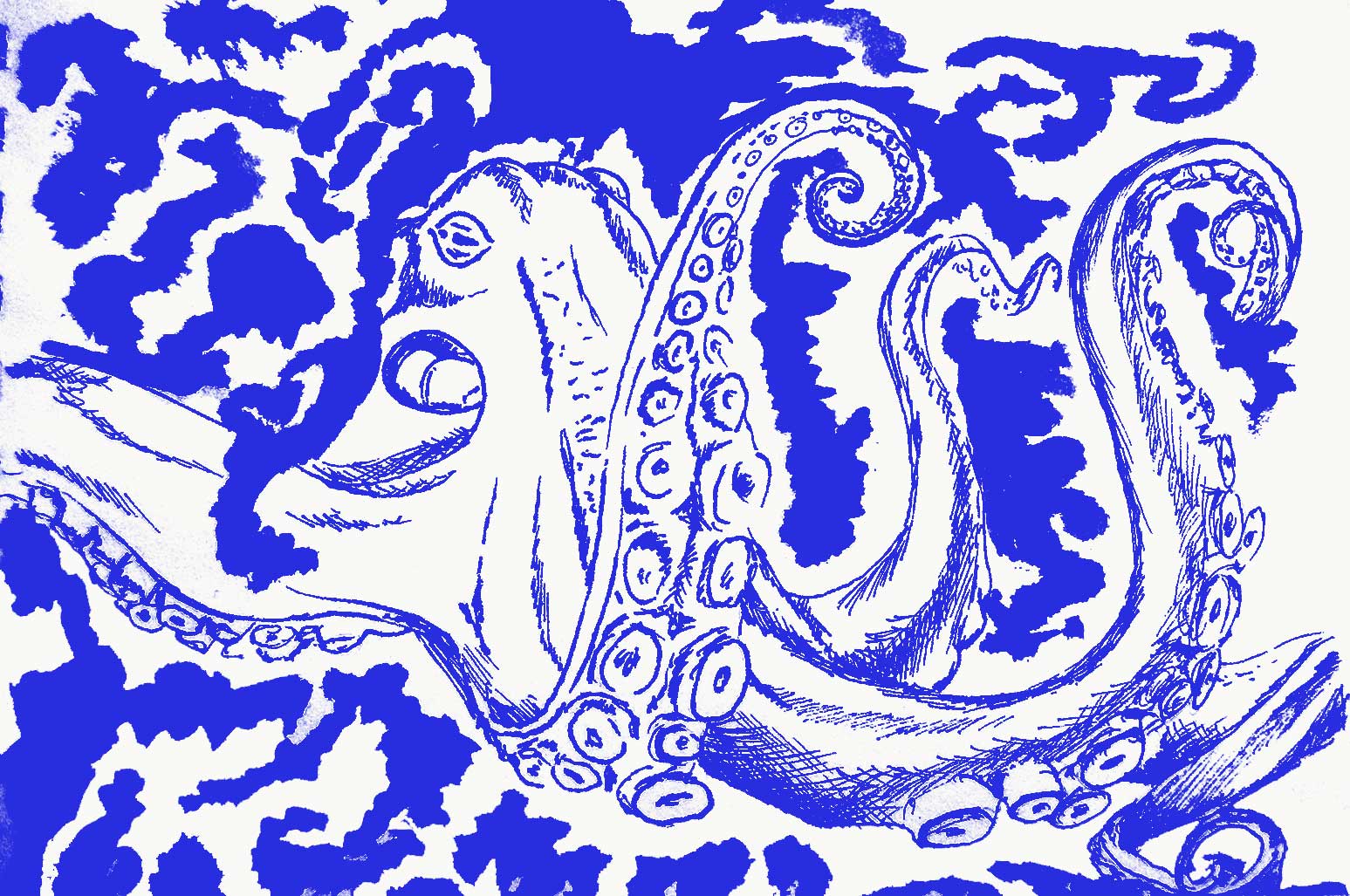
Monster — Miet Claes

That is an awesome Sea Monster by Miet.

Hire for Premier League

It is almost a platitude, but you need to hire premier players if you want to play premier league. Make no mistake: a company of 50+ people is not a place for soloists. In our company, the key thing that differentiates a great designer from a good designer is that he or she works well in a team.

Second, you want to hire someone with unique skills, but with a shared vision. Some people in the team are really good at coming up with ideas, others excel at guarding consistency, some thrive on optimizing technically. Those are all equally astonishing skills, but they can only flourish because they are supported by some basic principles we agree upon. Look for those principles when hiring.

The question on your mind is: “How can you tell?” Most of it comes from the gut, but I will give you some hints anyway. You can usually tell the instant someone applies: do they send a portfolio, or do they send a curriculum vitae? This simple distinction shows whether someone is coming to do work (good), or add another line to their CV (not so good). People who send both, are usually the most interesting. With a portfolio and CV in your hands, it is easy to review whether someone actually does what they say they do. Bonus points if they indicate the areas they have not mastered on their CV. This shows honesty and self-knowledge, which I believe are great traits for a designer.

Guide

You can hire the best people, but without guidance, things will go wrong.

We work in project teams. This means people with varying objectives work together as a team. I think this is pretty nice: it allows you to have the necessary discussions with for instance a developer, marketer or information architect. Furthermore, it allows you to foster a culture where every person in the team realizes there are more aspects to a project than just SEO or just a pretty button.

I also discovered a downside. A new person enters the company and is assigned to a team. In that team, the Project Manager hands out assignments to the new person. Big mistake. I cannot expect a project manager to follow up on the training of a new designer. We once hired a very talented but inexperienced designer who almost instantly had to work on some very complicated projects. That resulted in an extremely steep, unguided and unfair learning curve. Needless to say, the projects went awry and the designer went on to make beautiful websites, at another company. We fixed that so it will never happen again.

Moral of the story: allow and plan for enough time to give new people proper training. If they want to go fast, excellent. But never count on it. People also need to feel at home. They need to know who to go to when they have a problem. So now, when someone new arrives, they are trained by a different designer each week for at least four weeks. This way they get to know everyone in the team fairly quickly so they know where to go when they have a design-related problem.

Share a Vision and Principles

People need to be able to express their identity. This is true for everyone, but it is probably even more true for designers. Everything we do revolves around better expressing the identity of companies or individuals. I could ask every designer in the team to design the way I would design. I could personally approve or reject every design. I could ask every designer to name their Photoshop layers a certain way. But I don’t. Because it serves nobody. Hiring remarkably talented people in order to put them under the reign of some design buffoon (that would be me) is just wrong.

What we do have is a shared vision and an implicit set of principles. Every designer on the team is convinced that design is more than adding colour to a prototype. Every designer on the team thinks designing (parts) in the browser is the way forward. And every designer on the team knows at least the basics of HTML & CSS (if you know Dutch, read why I think this is important). Our principles and vision may change over time; not because I think it is the right way forward, but because someone thinks it is the right way forward and most of us agree.

Ask Questions

We have regular meetings called Design Labs. In a Design Lab we openly discuss things like design experiments or new technology. My voice is equal to that of others. The agenda is defined by everyone in the group and when there is a debate, my job is mostly to ask the right questions so we can come to the right conclusion. Remember what I said about hiring smart people? This is one of the areas where that plays out nicely.

Ban Titles

My official title is roughly translated to English as “Head of Design”. Sounds fancy, right? It doesn’t mean a thing. I do not like titles that imply hierarchy. Something like “Head of Design” very subtly implies that the bearer of the title is der Überdesigner. Nothing could be further from the truth. So the first thing I did was throw the title out the window. The entire team consists of extremely talented people (Ad, Dieter, Jonas, Louise-Lotte, Simon & Tom, you are amazing). Part of my talent just happens to be looking to the future and figuring out a way to get there.

Stop Wondering, Start Changing

When I first took on this role, I was hesitant to change stuff. My predecessor was an incredibly smart designer who I look up to. I had some big shoes to fill. Call it impostor syndrome if you like, but it felt wrong to change things that were so carefully put into place. Not to mention the effect working in a 50+ people company had on me. I felt like I needed approval from at least five people before I could change something. Not true, it seems.

If I look back at the things that have changed in a year, we have accomplished some pretty amazing things. We switched from writing vanilla CSS to Sass; we introduced the use of style tiles into our process; we are designing fairly large parts in the browser; we are working closer with our beloved information architects; we are experimenting with responsive HTML+CSS prototypes; and we are now effectively working with our own front-end framework in every new project. That is only the tip of the iceberg.

This may not sound very exciting to you, but it is a big shift in how we work. I am profoundly proud of all the people involved in making the necessary incremental changes every day. I didn’t do this. This is what real teamwork looks like. And if you take some perspective, you can do more than you think. Which brings me to the next point.

Focus

You will need focus to accomplish things as a team. We are a group of highly motivated designers. It is our nature to constantly question the status-quo. We are easily excited about new design techniques or the latest thing Eden Spiekermann created.

In fact, we are sometimes so enthusiastic that we do not know where to start. Especially in a group, where seven excellent ideas can come up at the same time. Yes, we want to make full-blown HTML5 Web Apps. Yes, we want to help sales people sell design better. Yes, we want to think strategically about design with our clients. But client work needs to get done, too. And there are only so many productive hours in a day.

So you need focus. In order to have focus, you first need to agree what you are going to focus on. We have meeting reports of all our Design Labs. I analysed a year’s worth of those reports and highlighted recurring themes. Turns out one of those themes was that we were constantly re-writing things that could easily be standardized. So we created our own front-end framework to free up time so we can go the extra mile where it really counts. Without focus, we would still be shooting arrows in all directions. Not very effective.

Ask for Feedback

Ask for it in person, ask for it via e-mail or ask for it anonymously. But ask for feedback. I basicly openly asked in a Design Lab whether people thought if I was useful at all to them. We had an interesting discussion which effectively improved the way we work together. I also set up a voluntary Google Form which gathered anonymous answers to these two simple questions: “What is going well?” and “What would you improve?”. Those open-ended questions yielded concise answers. It took me five minutes to set up and people were not bugged with a three-page questionnaire about my personality. Most important: I actually learned how I could support the team even better.

And while I am asking for feedback: do you think this makes any sense at all? How do you feel your design team is being led? Or how do you lead your team?

This was written on a sunny Sunday afternoon to the tunes of Jon Hopkins, Baths and Willie Dixon.
My Lifehacks

I am a designer. Thus, I am a control freak. I am by no means the most productive designer you will ever meet. I am definitely no productivity guru and I have no intention of becoming one. But I want control over my life. And I believe that sharing what works for me might be useful for others that want to do more purposeful things with what little time is given to us.

I am convinced that productivity is a fragile balance between the right mindset and the right tools. Picking just one will get you nowhere. It is like buying Moleskine notebooks and Faber-Castell pencils, hoping it will make you a better designer. You still need to have the right mindset and do meaningful things, regardless of the tools you pick.

The Right Mindset

As far as your mindset is concerned, I can tell you what works for me. I personally try to live by two key principles, that influence every other decision I make:

  • Reboot on a regular basis. Force yourself. You will be afraid at first, but the mental freedom will quickly be worth it, I promise. Rebooting can mean tossing out all but the last three t-shirts and pants you wore, removing your facebook account and starting over or getting a new job. Whether mentally or physically, regularly force yourself to remove clutter and get a new perspective.
  • Make resting your mind part of your productive day and get enough sleep. Make no exceptions. (Video warning: annoying American presentation style, but very interesting message.)

After you have succesfully rebooted, go with the defaults for a while. Challenge yourself.

The Right Tools

There are some great tools and life hacks that can help you to be more productive. Do not get lost in the tools though. They will only help you when you also have the right mindset. In random order, here are some great tips I can personally recommend:

  • Buy a stash of exactly the same simple black socks. No more need to sort pairs. (Wim, you are a genius)
  • Get an SSD (€200-€400). Waiting for your laptop and programs to start is just a waste of useful time.
  • Do not iron your clothes. Buy a non iron stylish shirt. I personally love my Seven Seas shirts. The design is lovely, the quality is excellent and they are incredibly affordable.
  • Download Alfred (Free) and use it to start your applications, look up things in the dictionary and make calculations. Keyboards beat the mouse every single time. Make sure you get Alfred’s €18 Power Pack. I have the following Power Pack Extensions installed:
  • Use Caffeine (Free) to keep your Mac from “falling asleep” during presentations.
  • Use Cloud (Free, 25MB/file) to quickly share files. I primarily use it to send screenshots to people. If you find yourself using it a lot: upgrade to pro to easily send people big files.
  • Get Dropbox (Free, 3GB). I use it to share a selected set of files between my Work and Private computer, I use it to receive work from clients, I even have a shared folder with a bunch of designer friends: we can just drop cool stuff we find all over the place in there for everyone to see. Works great!
  • Install F.Lux (Free) to rest your eyes when you are doing some evening reading. You will fall asleep more quickly. Ideally, you would stop using your computer an hour before you go to bed, but we both know that will never happen. F.Lux is a great band-aid. I even leave it on when designing, colours are relative anyway.
  • Get a Philips Wake Up Light (€120). Whether placebo effect or scientifically proven: it just works for me. I can wake up at 6 in the morning and I feel fresh. A feeling I definitely never head before getting one of these.

That more or less sums it up. Maybe some things in here are useful to you as well, I sincerely hope so.

De plaats van Front-end Development

Wat is de plaats van front-end development? Vasilis rakelde nog eens een interessante discussie op, die te complex is om op twitter gevoerd te worden. Het begon met deze tweet:

Mijn poging om de discussie naar Branch te verplaatsen faalde snel:

Maar ik wou er al langer een paar dingen over kwijt. En dan blijkt de good old blog nog het beste medium.

Moet Front-end Development als vak verdwijnen en opgaan in Grafisch Ontwerp en Web Development?

Executive Summary: ja.

Elke vraag kan je pas beantwoorden wanneer je al haar variabelen en onbekenden hebt opgelost.

De context: moet het vak verdwijnen? Dus niet: moet de baan verdwijnen? Het gaat over wat er in onze universiteiten en hogescholen gedoceerd wordt. Wat er op je diploma staat. Niet over wat je daarna doet. Heb jij gestudeerd voor alle taken die je nu op je werk uitvoert? Weinig diploma’s hebben een éen-op-éenrelatie met een baan en dat is absoluut een good thing.

Wat is Front-end Development? Doorgaans kan je zeggen dat een front-end developer een ontwerp vertaalt naar computercode die er voor zorgt dat het ontwerp optimaal weergegeven wordt in een web browser. Een front-end developer maakt dan per definitie geen ontwerp, want dan zou hij een ontwerper zijn.

Als je langs de andere kant de afbakening maakt, dan is een front-end developer een soort developer die enkel clientside code schrijft. Weinig of geen PHP of Python dus, wel JavaScript, HTML & CSS. Meestal doet hij ook template-logica—via pakweg iets als twig—en vaak bedenkt hij ook CSS-architectuur.

Leer principes, geen technieken

De universiteit is een plaats om een manier van denken aan te leren. Designdenken of procesdenken bijvoorbeeld. Technieken die je leert zijn een middel, geen doel. HTML, CSS en JavaScript zijn geen doel. Reclame ontwerpen is geen doel. Objective C is geen doel. Het zijn tools om een doel te bereiken. Maar aan de universiteit wil je mensen net leren om de juiste tool op het juiste moment te kiezen. Je wil mensen vooral niet leren om zich te beperken tot wat ze al in hun toolbox hebben. Dat is niet sustainable. Misschien is er een betere tool. Misschien bestaat de tool nog niet. Misschien moeten ze die tool zelf maken.

Wapen mensen door principes te leren. Leer ze kijken, denken of analyseren. Hetzij in de bredere context van een designopleiding, hetzij in de bredere context van een opleiding computerwetenschappen.


Dat was een Hart van Miet

Automatisering vervangt mensen die tools gebruiken

Het is geschiedenis. En geschiedenis herhaalt zich. Automatisering vervangt steeds opnieuw mensen die enkel tools gebruiken en geen principes (hebben leren) hanteren. In recente drukgeschiedenis vind je het verdwijnen van de mensen die bestanden klaar maakten voor druk. Vandaag heb je quasi alleen nog ontwerpers en drukkers. De middlemen zijn vervangen door Adobe’s PDF workflow. Automatisering dus.

Je ziet die verschuiving al stilaan komen. Frameworks zoals Foundation of tools zoals CodeKit en Sketch zijn daarvan de eerste uitingen, maar het wordt nog een pak spannender dan dit.

De print designer die ook web doet

Even vervelend is natuurlijk het omgekeerde. De print designer die ook web doet. Zonder te begrijpen hoe het web in elkaar zit. Hoe interactie-ontwerp in elkaar zit. Waarom 12pt op je scherm niet hetzelfde is als 12pt in een boek. Waarom je geen afbeeldingen van 1MB gebruikt. Waarom je CSS logisch structureert. Daarom hou ik niet zo van opleidingen met overdreven specialisatie. Ik ben een grote fan van het Bauhausprincipe: proef van alles, kies al doende en vooral: switch op tijd.

Een designer wordt gedreven door het maken van dingen. Zijn grondstoffen (papier & inkt, gesmolten plastic, of computercode) maken daarbij weinig verschil. Een goeie designer beheerst of kent zijn grondstof en dat is op het web niet anders.

Conclusie: de toekomst ligt in het verleden

Heel eerlijk: de beste front-end developers die ik ken hebben op éen of andere manier een designopleiding achter de rug—of ze hebben een intuïtieve neus voor wàt ontwerpen is. De beste web designers die ik ken, weten érg goed hoe HTML & CSS in elkaar zitten. Ze ontwerpen vaak rechtstreeks in de code (Matrix-mode!) en hanteren net zo graag een potlood als CodeKit.

Neen, front-end development is geen opleiding die we moeten formaliseren. Dan kan je volgens mij beter principes bijbrengen en mensen zelf laten zoeken naar waar ze hun zwaartepunt willen verschuiven. De geschiedenis heeft ons al aangewezen waar we naartoe gaan. De toekomst ligt in het verleden.

Dat is alleszins wat ik denk. Maar ik ben erg benieuwd naar jullie mening! Laat een reactie op deze blogpost achter of reageer op twitter!

Go With the Defaults

I am a kid of the Microsoft Windows generation. I grew up with it. From 3.1 through NT4 right up until Windows “FCKGW” XP. I loved optimizing the settings. Control Panel and Regedit were my playground. I have installed and re-installed many, many times. I would have a set of settings and required software hard-wired into my brain. It would take me about a day to get you the most optimized Windows XP installation. Fast, secure and neat. The way it should be, right?

Until I realized that what I was doing, was total madness. I just did not know any better. I got so carried away in my optimization process that I didn’t realize there might be another solution to the flaws of the OS at that time; switch to another operating system. And that is precisely what I did. The upfront cost was a bit bigger, but it has saved me a ton of time.

This post is not about operating systems. The lesson I learnt then was not about software, it was about something bigger. It was about choosing the right defaults.

Whenever you choose a tool to work with, you are almost always better off with a product that is less configurable, but has better defaults. Your cost of ownership—rightfully taking man hours into account—will be a fraction of the cost of ownership of a lesser, more configurable product.

I recently wiped my computer clean and re-installed OS X. Whenever I would get the urge to configure something, I would ask myself “is this because I need it to be this way, or because I have developed a certain habit?” I have changed many habits since then, not so many options.

When in doubt, do yourself a favour. Go with the better defaults.